How to Fix Mouse Double Clicking and Click Ghosting
One of the most frustrating hardware failures for PC users is a mouse that double-clicks. You click a file once to select it, but the mouse registers a double click and opens it instead. This issue is caused by physical deterioration inside the mouse's microswitch (specifically the copper tension spring plate). This guide explains why mice double-click and how to fix the issue.
1. Why Do Gaming Mice Double-Click?
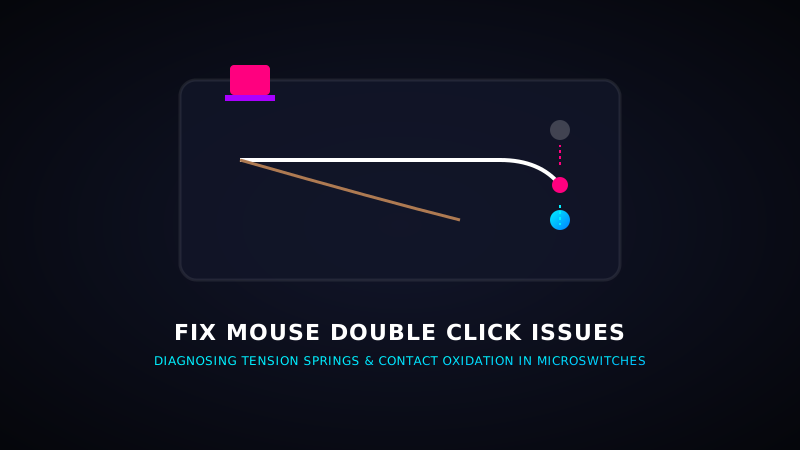
Inside standard mechanical mouse switches (like Omron D2FC or Kailh GM 8.0) is a tiny, curved copper leaf spring. When you click, this spring bends to touch a contact plate. Over time, two things happen:
- Loss of Spring Tension: The copper leaf loses its elasticity, causing it to vibrate or bounce on release. Instead of one clean contact, it registers multiple inputs.
- Contact Oxidation: Static electricity and moisture oxidize the metal contact points, causing the electrical current to arc and trigger false clicks.
2. Software Fixes: Changing Click De-bounce Delays
If you cannot solder a new switch, you can filter out the double clicks using software:
- Mouse settings in Windows: Open the Control Panel, go to Mouse, and adjust the **Double-Click Speed** slider. Setting it slightly slower can reduce false double clicks.
- Brand Software (De-bounce Delay): In Razer Synapse or Glorious Core, look for the **De-bounce Delay** slider and increase it to **8ms to 12ms**. This filters out rapid click bounces.
- ClickFix (Mac/Windows): Lightweight open-source utilities that filter out double clicks under 50ms automatically.
Test Your Mouse Double Clicking
Think your mouse is failing? Click inside our interactive CPS diagnostic tool to check your real-time click registry logs.
Start CPS Tester3. Hardware Fixes: Cleaning or Replacing Switches
- Contact Cleaner / Isopropyl Alcohol: Turn off the mouse, spray a tiny drop of quick-drying Contact Cleaner directly into the microswitch button gap, click it 50 times, and let it dry. This dissolves oxidation layers.
- Upgrade to Optical Switches: If you are buying a new mouse, choose models with **Optical switches** (like Razer Gen-3 or ROCCAT Titan). Since they use light beams instead of metal contact plates to actuate, they are structurally incapable of double-clicking!